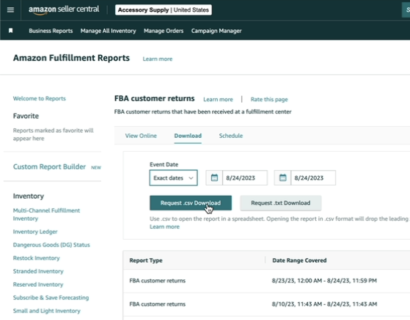
To claim your free returns audit - please follow the below instructions:
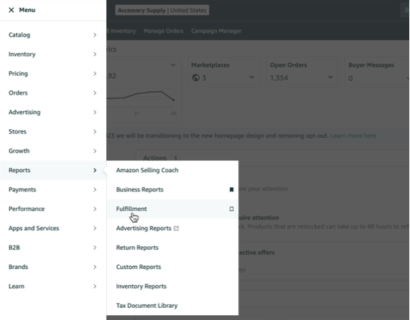
Step 1: Open Reports and access Fulfilment Reports
- Before you begin, please login to your Amazon Seller Central account.
- On your dashboard, tap the hamburger icon to open the menu, go to Reports and then click Fulfillment
-
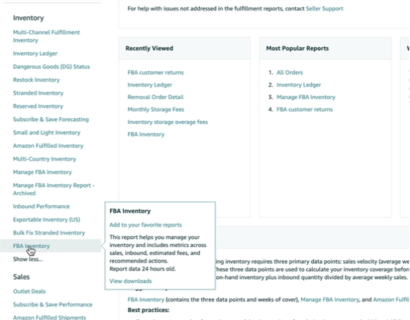
Step 2: FBA Inventory and CSV Download
- Look under "Inventory" then click on FBA Inventory ( click here ) to go to a list of reports.
-
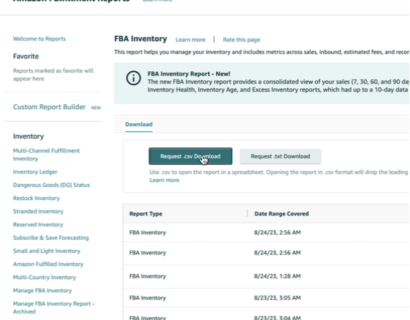
- Click the "Request .csv Download" button. This will prompt the system to generate a CSV file containing the inventory data.
-
Step 3: FBA Customer Returns and CSV Download
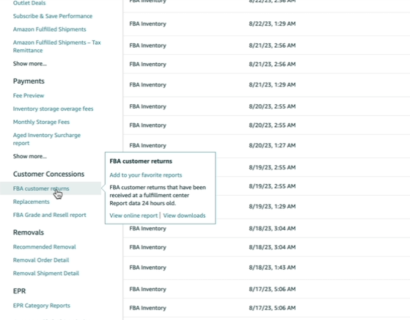
- Now move down till you find "Customer Concessions". Under it, click FBA Customer Returns ( click here )
-
- At the top, look for the "Download" option and choose a timeframe of "90 days back." This ensures you're getting relevant data for the past three months.
-
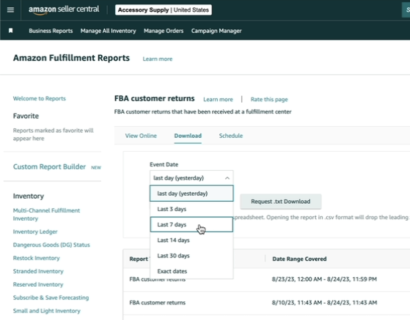
- Click the "Request .csv Download" button. This will prompt the system to generate a CSV file containing the reports data.
-